
Sample family inventory
Open the linen cupboard, look above the mantel and check the china cabinet. Here’s what one family might record about three belongings.
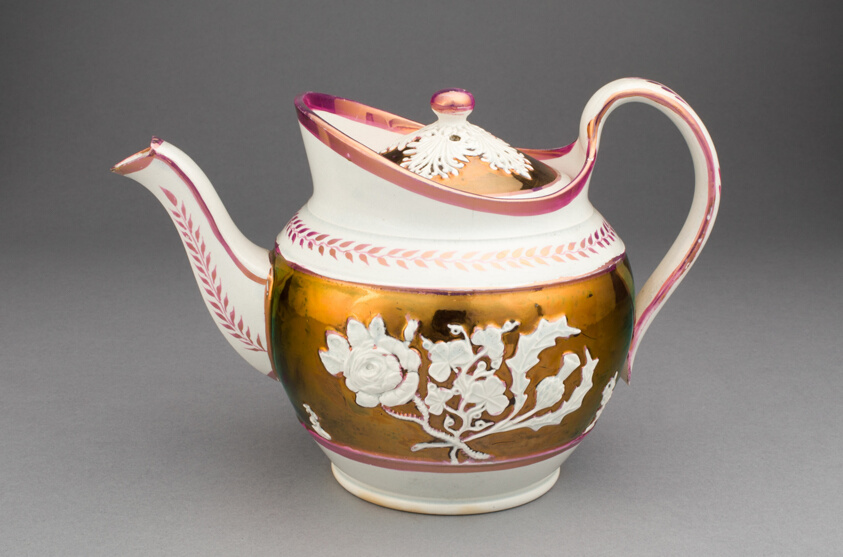
Copper-lustre teapot
Earthenware with copper-lustre decoration, 14.3 cm tall. Dining room, upper cabinet. The handle and lid are intact; a family note says it came from Aunt May. Keep the lid wrapped with the pot.
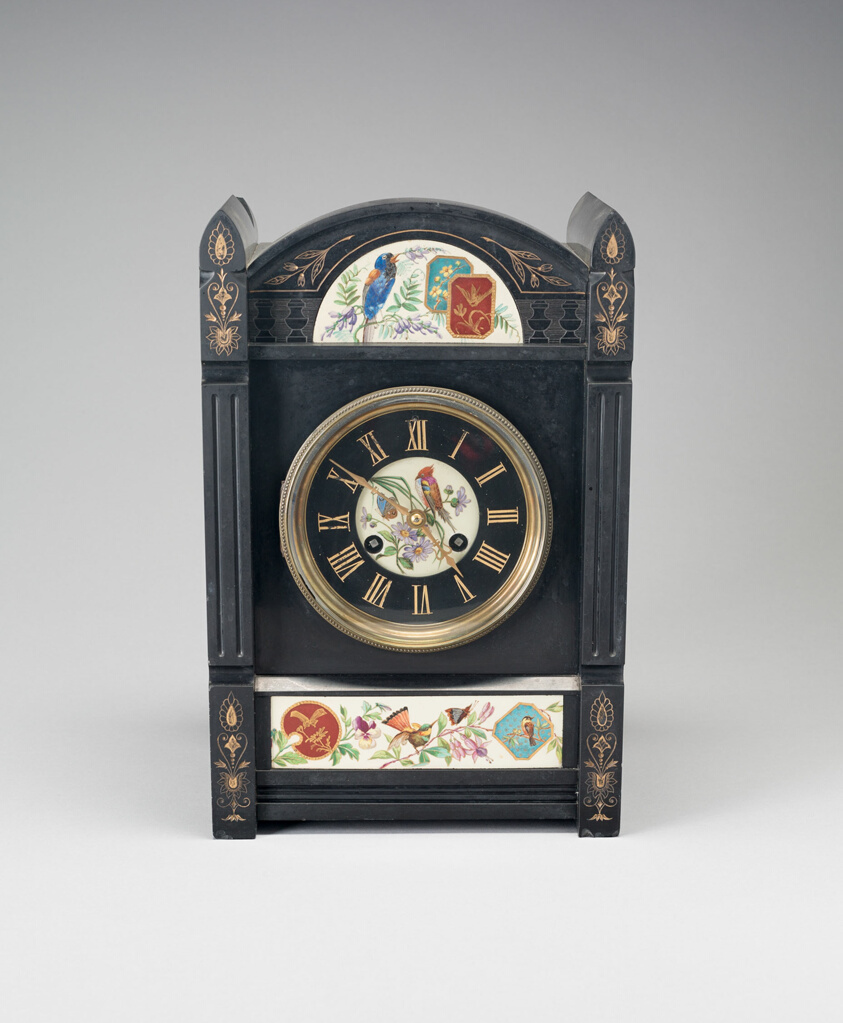
Slate mantel clock
Slate case with enamel and gilding, 31.8 cm tall. On the sitting-room mantel. The winding key is in the drawer below. The family has not tested the movement; check it before moving the clock.
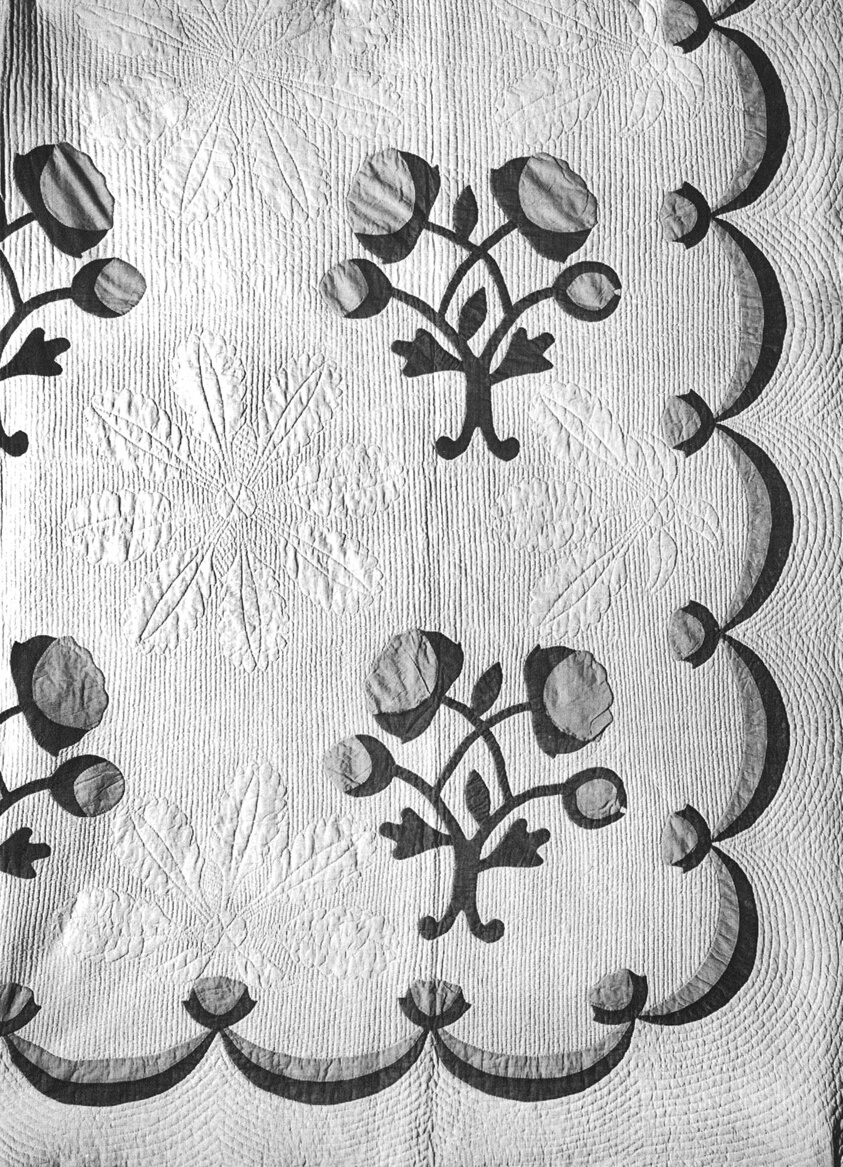
Roses quilt
Floral quilt stored flat in the linen cupboard. The edge binding is worn at one corner. A note with the quilt identifies it as the one used in the guest room; photograph the reverse before packing.
The iPhone app’s detailed Inventory report includes the photos, descriptions, record references, attachment counts and selected values. The household notes and owner estimates in this example are fictional.
Download detailed inventory (PDF)Public-domain collection photography, Art Institute of Chicago: teapot, clock and quilt.
Inventory
Review the belongings you captured on your iPhone in the web inventory. Open an item to check its photos, name and description. Edit the details so someone who was not there can understand what the item is and why it matters.
Add the history you remember, identifying information and any supporting documents you have. A few clear records are enough to start a conversation; you can keep adding to the inventory over time.
Follow the capture and review walkthroughPeople & interest
Invite the people you want to include and choose which records they can see. They can look through the belongings, share notes and record their interest.
Someone may care about an everyday object because of the memory attached to it. Seeing those preferences together helps you notice where interests overlap and which conversations still need to happen.
Use the inventory to plan with familyDecisions
Record who should receive an item or whether you plan to keep, sell or donate it. The plan appears on the possession.
If your sister offers to collect a box of dishes, an editor can assign her the pickup. She can update the shared task when she has the box. Record the handover on the item so the family can find out where the dishes went.
Reports
Choose an illustrated inventory to include a photo where available. For an appraiser, choose the original photos and documents they need and include the question you want them to answer.
An insurance agent may need identifying details and supporting records. An estate-sale company needs to understand which belongings are included. An attorney may need the inventory and your wishes. The same records give each conversation a more useful starting point.
Keep building on what you know.
A new purchase, a family conversation or a decision to move may give you a reason to return. Add the new details to the same inventory so the photos, history and decisions stay connected.
See how a record begins.
Follow the path from iPhone capture to the web inventory and the decisions ahead.